
Help Center
eSIM Support and All Frequently Asked Questions
How do I check if my phone is unlocked?
< 1 min read
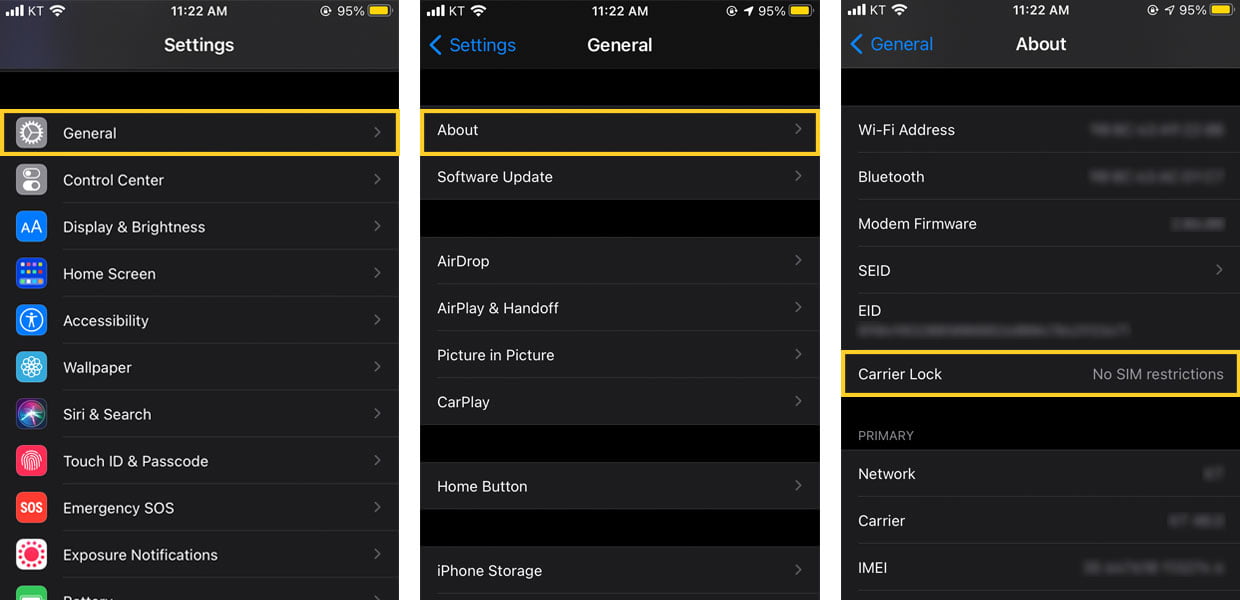
You can’t use an eSIM with a locked phone. To check whether your device is locked, please contact your carrier or check the [Settings] menu. If your phone is locked, you should contact your domestic carrier to unlock your phone before you can use the eSIM plan.
For iOS:
1. Go to [Settings] – [General]
2. Tap [About]
3. If [Carrier Lock] says “No SIM restrictions”, your phone is unlocked.
Powered by BetterDocs